> ## Documentation Index
> Fetch the complete documentation index at: https://docs.nudj.cx/llms.txt
> Use this file to discover all available pages before exploring further.
# Redemption & Fulfilment
> The last mile: how members redeem an earned reward, and where you view the delivery details to fulfil it
Creating a reward is only the first half of the journey. This page covers the second half: a member **redeems** the reward they earned, and (for anything you have to deliver) you **fulfil** it using the details they submit.
## How members redeem
An earned reward lands in the member's **Wallet**. Opening it shows a **Redeem** button.
If the reward has [Fulfillment Details](/admin-guide/rewards/creating-regular-rewards#fulfillment-details), redemption starts by asking the member for them, one field at a time. Required fields must be filled before they can continue; optional ones can be skipped.
The member confirms, and Nudj marks the reward redeemed.
What they see next depends on the reward's redemption format: a **text code**, a **link**, a **barcode**, a **QR code**, a **Shopify discount**, or a **rich-text message**. XP and Points Boosts don't show a code, they activate automatically.
Delivery details are collected **at redemption**, never when the member earns or buys the reward. A member only fills them in the moment they claim.
***
## The redeem-by deadline
The **Use-It-or-Lose-It Date** (set on the [Dates](/admin-guide/rewards/creating-regular-rewards#dates) step) is the deadline to redeem. After it passes, an unredeemed reward can't be claimed: the Redeem button is disabled and the reward shows as **expired**.
Don't confuse the two timers. **Use-It-or-Lose-It** is the deadline to *redeem*. The separate **Redemption Viewing Window** (set on the reward's [Dates](/admin-guide/rewards/creating-regular-rewards#dates) step) controls how long the code stays visible *after* redeeming, so a member can come back to their code for a while before it's hidden.
"Missed out" and "Sold out" are different: those appear on **shop / browse cards** before a member owns the reward (the supply ran out). They aren't redemption states of a reward already in someone's wallet.
***
## Where you confirm fulfilment
For rewards you deliver yourself (merch, event tickets, gift cards), open the reward, go to its **Stats** page, and select the **Fulfilment** tab:
```text theme={null}
/admin/engagement/rewards/{reward-id}/stats?tab=fulfilment
```
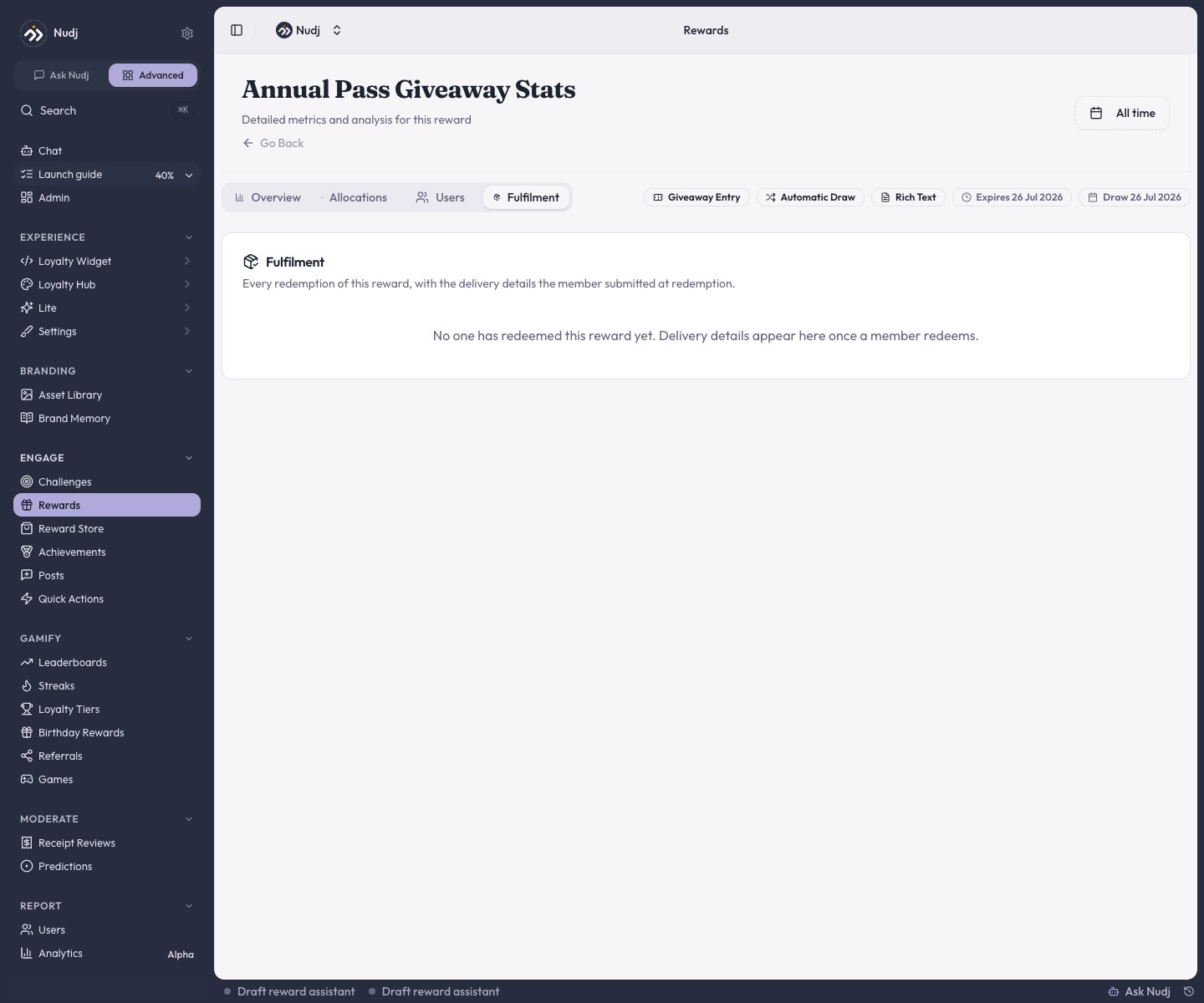 The tab lists **every redemption of the reward**, with three columns:
| Column | What it shows |
| -------------------- | ----------------------------------------------------------------------------- |
| **Member** | Who redeemed: avatar, display name, and email |
| **Redeemed** | When they redeemed |
| **Delivery details** | The fields they submitted at redemption (e.g. shipping address, T-shirt size) |
**The Fulfilment tab is a read-only record.** It surfaces who redeemed and what they submitted so you can fulfil the reward in your own systems (ship the item, email the gift card). There is no "mark as fulfilled" toggle or status, and no export: Nudj shows you the details, you handle delivery out-of-band.
Until someone redeems, the tab reads *"No one has redeemed this reward yet. Delivery details appear here once a member redeems."* A redemption with no details recorded shows the reason in its row (either the reward doesn't collect details, or none were submitted).
Because the rows contain member contact details, viewing the Fulfilment tab needs permission to read **both rewards and members**. A role without member-read access sees an error instead of the table.
***
## Setting up what to collect
The fields on the Fulfilment tab come from the reward's **Fulfillment Details** step. Add a field for each thing you need to deliver the reward.
The tab lists **every redemption of the reward**, with three columns:
| Column | What it shows |
| -------------------- | ----------------------------------------------------------------------------- |
| **Member** | Who redeemed: avatar, display name, and email |
| **Redeemed** | When they redeemed |
| **Delivery details** | The fields they submitted at redemption (e.g. shipping address, T-shirt size) |
**The Fulfilment tab is a read-only record.** It surfaces who redeemed and what they submitted so you can fulfil the reward in your own systems (ship the item, email the gift card). There is no "mark as fulfilled" toggle or status, and no export: Nudj shows you the details, you handle delivery out-of-band.
Until someone redeems, the tab reads *"No one has redeemed this reward yet. Delivery details appear here once a member redeems."* A redemption with no details recorded shows the reason in its row (either the reward doesn't collect details, or none were submitted).
Because the rows contain member contact details, viewing the Fulfilment tab needs permission to read **both rewards and members**. A role without member-read access sees an error instead of the table.
***
## Setting up what to collect
The fields on the Fulfilment tab come from the reward's **Fulfillment Details** step. Add a field for each thing you need to deliver the reward.
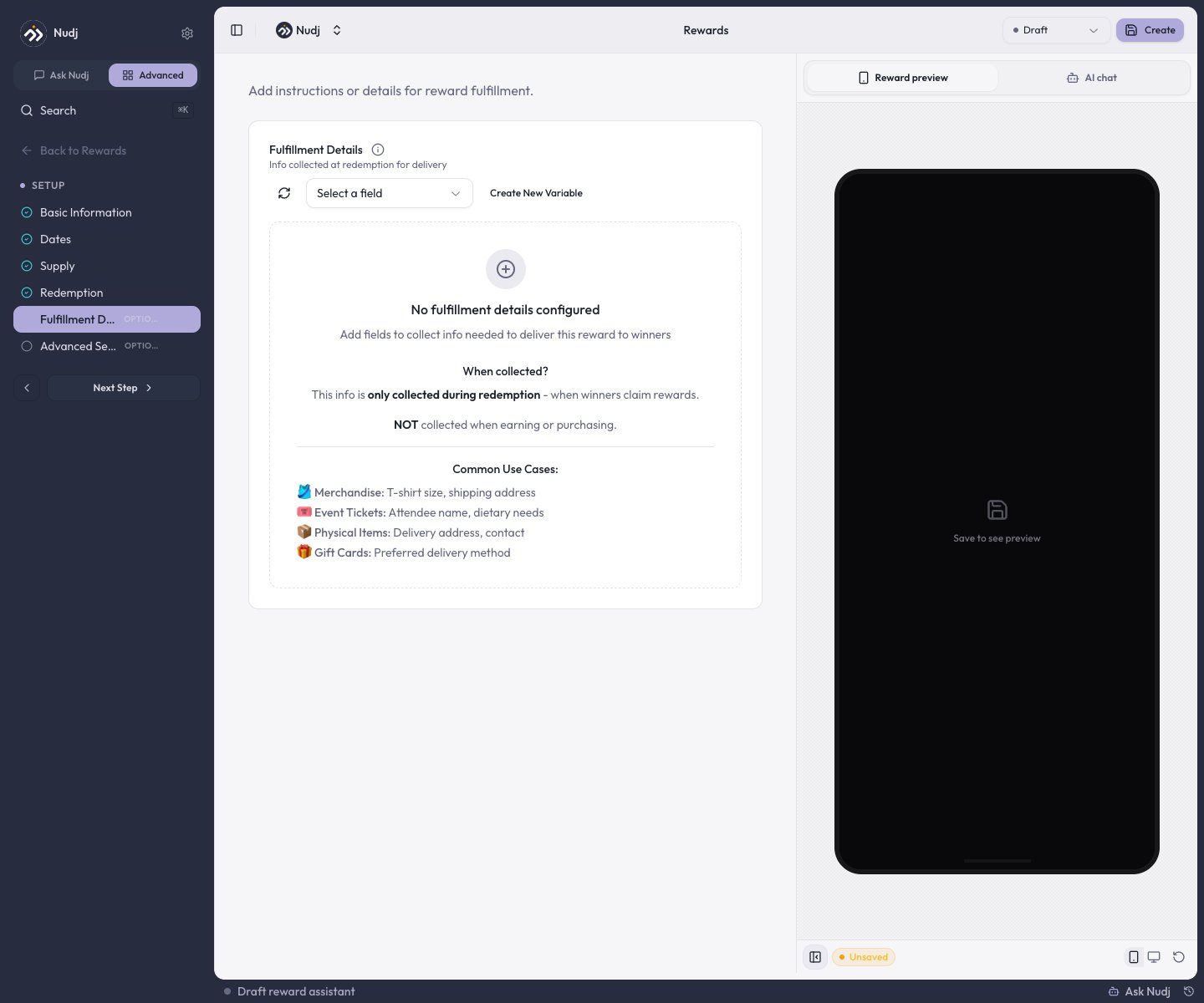 Common setups: T-shirt size and shipping address for merchandise, attendee name for event tickets, a delivery address for physical items.
***
## Next steps
Set up redemption and fulfilment details.
Allocations, redemptions, and timelines.
Which rewards need redemption vs auto-apply.
Let members buy rewards with points.
Common setups: T-shirt size and shipping address for merchandise, attendee name for event tickets, a delivery address for physical items.
***
## Next steps
Set up redemption and fulfilment details.
Allocations, redemptions, and timelines.
Which rewards need redemption vs auto-apply.
Let members buy rewards with points.