> ## Documentation Index
> Fetch the complete documentation index at: https://docs.nudj.cx/llms.txt
> Use this file to discover all available pages before exploring further.
# Onboarding Checklist
> The server-verified onboarding checklist Shopify merchants see after install, plus the wizard modal and home dashboard.
After install, Nudj's Shopify embedded admin presents a merchant with a getting-started checklist. Each step verifies completion server-side so a merchant cannot skip past a required configuration.
 ## The checklist
PR #2020 replaced the client-side onboarding wizard with a **server-verified checklist**. Each item's completion state is derived from the merchant's data, not a flag the user can dismiss. That way:
* The checklist shows accurate state even after a merchant navigates away and returns.
* Admins can't mark a step complete before the underlying config exists.
* The checklist re-appears if a merchant deletes the backing config later.
The starting set of steps derives from the embedded admin pages scaffolded by PR #1722 and covers the minimum configuration needed for the storefront widgets and rewards to function:
* Bind the Shopify store to a Nudj community.
* Pick a theme preset for the widgets.
* Enable the loyalty widget on the storefront.
* Configure a baseline reward.
* Configure at least one achievement.
## Wizard modal
PR #2007 added a wizard modal that launches from the getting-started page. The modal walks merchants through the first-configuration flow without leaving the checklist, then re-runs the server-side verification so steps tick off in place.
## Home dashboard
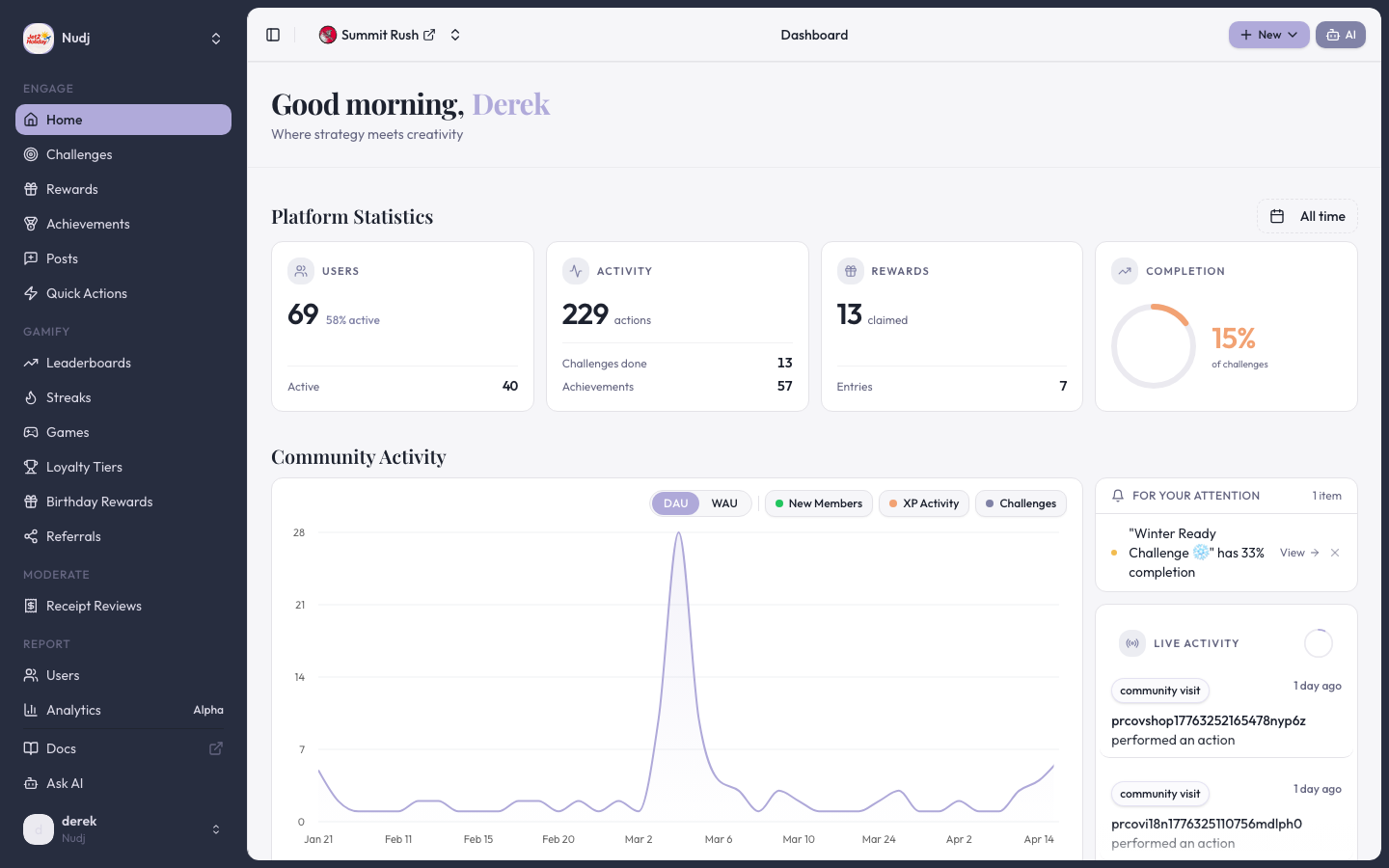
Once past onboarding, the merchant's home screen is an activity chart summary (PR #1985) — running totals of orders, challenges completed, points earned, referrals. Clicking a metric navigates to the detail page for that surface.
## Access and scheduling
PRs #2001 and #1982 **hide** the access and scheduling selectors in settings while those features remain in preview. Merchants instead see a "coming soon" teaser in the settings sidebar (PR #1983).
## Pages consistency
PR #2141 aligned all embedded admin pages to a consistent layout, header pattern, and empty-state shape. PR #2128 migrated data fetching to client-side so navigation between pages is instant.
## Mobile support
PR #1905 optimised the embedded admin for 390px viewports — iPhones running Shopify's merchant mobile app see a full checklist and dashboard, not a broken desktop layout.
## Next steps
The widget blocks merchants add to their theme.
Configure the baseline reward the checklist asks for.
> Last reviewed: 2026-04 · Related PRs: #1722, #1905, #1982, #1983, #1985, #2001, #2007, #2020, #2128, #2141
## The checklist
PR #2020 replaced the client-side onboarding wizard with a **server-verified checklist**. Each item's completion state is derived from the merchant's data, not a flag the user can dismiss. That way:
* The checklist shows accurate state even after a merchant navigates away and returns.
* Admins can't mark a step complete before the underlying config exists.
* The checklist re-appears if a merchant deletes the backing config later.
The starting set of steps derives from the embedded admin pages scaffolded by PR #1722 and covers the minimum configuration needed for the storefront widgets and rewards to function:
* Bind the Shopify store to a Nudj community.
* Pick a theme preset for the widgets.
* Enable the loyalty widget on the storefront.
* Configure a baseline reward.
* Configure at least one achievement.
## Wizard modal
PR #2007 added a wizard modal that launches from the getting-started page. The modal walks merchants through the first-configuration flow without leaving the checklist, then re-runs the server-side verification so steps tick off in place.
## Home dashboard
Once past onboarding, the merchant's home screen is an activity chart summary (PR #1985) — running totals of orders, challenges completed, points earned, referrals. Clicking a metric navigates to the detail page for that surface.
## Access and scheduling
PRs #2001 and #1982 **hide** the access and scheduling selectors in settings while those features remain in preview. Merchants instead see a "coming soon" teaser in the settings sidebar (PR #1983).
## Pages consistency
PR #2141 aligned all embedded admin pages to a consistent layout, header pattern, and empty-state shape. PR #2128 migrated data fetching to client-side so navigation between pages is instant.
## Mobile support
PR #1905 optimised the embedded admin for 390px viewports — iPhones running Shopify's merchant mobile app see a full checklist and dashboard, not a broken desktop layout.
## Next steps
The widget blocks merchants add to their theme.
Configure the baseline reward the checklist asks for.
> Last reviewed: 2026-04 · Related PRs: #1722, #1905, #1982, #1983, #1985, #2001, #2007, #2020, #2128, #2141