> ## Documentation Index
> Fetch the complete documentation index at: https://docs.nudj.cx/llms.txt
> Use this file to discover all available pages before exploring further.
# Enterprise SSO via OIDC
> Configure OpenID Connect single sign-on for your organisation. OIDC is the only SSO protocol Nudj supports.
Nudj supports **OpenID Connect (OIDC)** as its single sign-on protocol. If your identity provider speaks OIDC — Okta, Auth0, Microsoft Entra ID, Google Workspace, Ping, Keycloak, or any conformant provider — you can wire it up from the admin panel in a few minutes.
Nudj does **not** support SAML 2.0, LDAP, Active Directory Federation Services, or any protocol other than OIDC. If your organisation requires SAML, raise a request with your account manager — there is no self-serve path today.
## What OIDC SSO gives you
* One set of credentials managed in your existing identity provider.
* Server-to-server user lookup via the OIDC userinfo endpoint — no user password storage at Nudj.
* A deterministic redirect URI per organisation so your security team can scope the allowed list precisely.
For the full step-by-step setup, see [OAuth Integration Setup](/enterprise/oauth-authentication). This page summarises the enterprise-specific behaviour and recent setup polish.
## Self-serve OIDC configuration
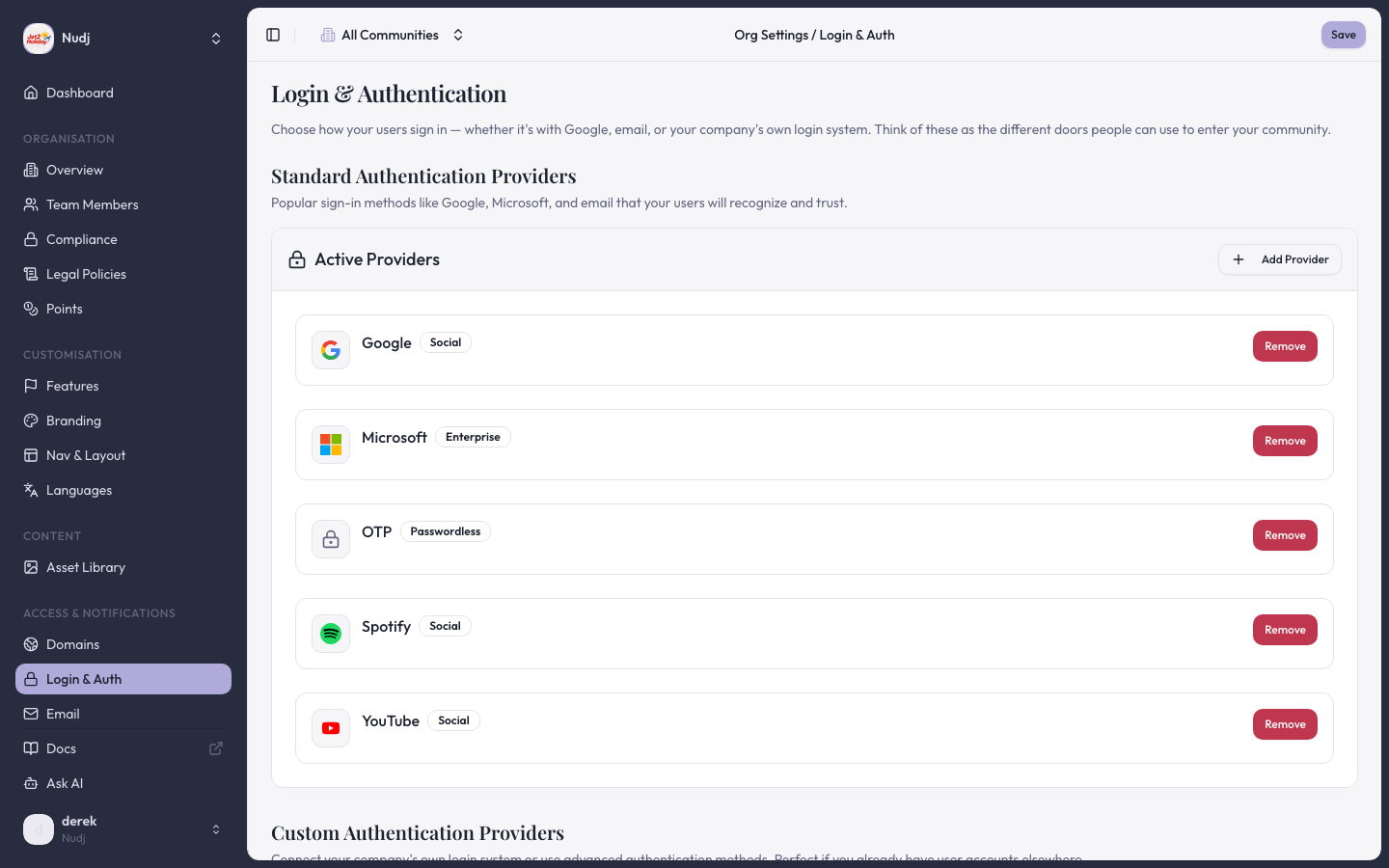
The Authentication tab of the admin panel (`Settings → Organisation → Authentication`) hosts the OIDC config. Two PRs in the last year materially changed the setup experience:
**PR #1466**: Paste the issuer URL (e.g. `https://login.example.com`) and Nudj reads the `/.well-known/openid-configuration` document to populate the authorisation, token, and userinfo endpoints. The advertised scopes are surfaced so you can pick custom scopes beyond the OIDC defaults.
**PR #1433**: The generated `oidcConfig.id` is displayed directly in the Authentication tab after you save. Previously admins had to email Nudj support for this value. Use it to build the redirect URI your provider will whitelist.
 ## Redirect URI
The redirect URI template is:
```
https://${rootDomain}/api/auth/callback/organisation-oidc-${oidcConfig.id}
```
* `${rootDomain}` is the organisation's primary domain, shown under `Settings → Organisation → Domains`.
* `${oidcConfig.id}` is the ID displayed in the Authentication tab after save.
Paste the fully-resolved URL into your provider's allowed redirect list — providers match exactly on the string, including scheme and absence of trailing slash.
## Required scopes
Nudj requests `openid`, `profile`, and `email` by default. These are the only mandatory scopes. You can opt in to:
* `offline_access` — issues a refresh token so Nudj can extend a session without re-prompting.
* Custom scopes — list any extra scopes your provider advertises (PR #1466 added this field).
Nudj consumes the ID token and calls the userinfo endpoint for profile data. User identity is keyed on the `sub` claim; email is used for human-readable identification only.
## PKCE
The OIDC flow enforces [PKCE](https://datatracker.ietf.org/doc/html/rfc7636) with an S256 code challenge. PR #1538 tightened the PKCE cookie validation on the callback. If you see `PKCE cookie missing` in the callback URL:
* Confirm the callback is returning to the same origin that initiated auth. Embedded webviews that block third-party cookies will break the short-lived PKCE cookie round-trip.
* Match the redirect URI's host to the host your users start the login flow from.
## What is explicitly not supported
Be direct with your security team — these are not features of Nudj, regardless of how the provider markets integration:
* **SAML / WS-Fed / LDAP** — no support. OIDC only.
* **Just-in-time group-to-role mapping** — Nudj users are created on first successful login with the attributes from the ID token/userinfo response. There is no separate directory-sync process, no group-to-role mapping, and no SCIM endpoint.
* **Nudj-hosted MFA** — MFA lives at your identity provider. Nudj does not store passwords or issue MFA challenges itself.
* **Risk-based step-up auth / geofencing** — not implemented at Nudj; rely on your identity provider's policies.
## Common pitfalls
The redirect URI at the provider doesn't match the one Nudj sends. Re-copy the URL from the Authentication tab — pay attention to the `oidcConfig.id`, which regenerates if you delete and re-create the config.
Remove any custom scope the provider doesn't advertise. The auto-fetch flow will list the scopes your provider publishes.
The provider didn't include `email` in the userinfo response, or the user's profile in the provider has no email set. Nudj creates the user but cannot email them — reconfigure the provider to issue the `email` claim in the ID token.
## Next steps
Step-by-step provider configuration.
Alternative flow for pre-authenticated users (JWT-based session handoff).
> Last reviewed: 2026-04 · Related PRs: #1466, #1433, #1538, #618, #876, #878
## Redirect URI
The redirect URI template is:
```
https://${rootDomain}/api/auth/callback/organisation-oidc-${oidcConfig.id}
```
* `${rootDomain}` is the organisation's primary domain, shown under `Settings → Organisation → Domains`.
* `${oidcConfig.id}` is the ID displayed in the Authentication tab after save.
Paste the fully-resolved URL into your provider's allowed redirect list — providers match exactly on the string, including scheme and absence of trailing slash.
## Required scopes
Nudj requests `openid`, `profile`, and `email` by default. These are the only mandatory scopes. You can opt in to:
* `offline_access` — issues a refresh token so Nudj can extend a session without re-prompting.
* Custom scopes — list any extra scopes your provider advertises (PR #1466 added this field).
Nudj consumes the ID token and calls the userinfo endpoint for profile data. User identity is keyed on the `sub` claim; email is used for human-readable identification only.
## PKCE
The OIDC flow enforces [PKCE](https://datatracker.ietf.org/doc/html/rfc7636) with an S256 code challenge. PR #1538 tightened the PKCE cookie validation on the callback. If you see `PKCE cookie missing` in the callback URL:
* Confirm the callback is returning to the same origin that initiated auth. Embedded webviews that block third-party cookies will break the short-lived PKCE cookie round-trip.
* Match the redirect URI's host to the host your users start the login flow from.
## What is explicitly not supported
Be direct with your security team — these are not features of Nudj, regardless of how the provider markets integration:
* **SAML / WS-Fed / LDAP** — no support. OIDC only.
* **Just-in-time group-to-role mapping** — Nudj users are created on first successful login with the attributes from the ID token/userinfo response. There is no separate directory-sync process, no group-to-role mapping, and no SCIM endpoint.
* **Nudj-hosted MFA** — MFA lives at your identity provider. Nudj does not store passwords or issue MFA challenges itself.
* **Risk-based step-up auth / geofencing** — not implemented at Nudj; rely on your identity provider's policies.
## Common pitfalls
The redirect URI at the provider doesn't match the one Nudj sends. Re-copy the URL from the Authentication tab — pay attention to the `oidcConfig.id`, which regenerates if you delete and re-create the config.
Remove any custom scope the provider doesn't advertise. The auto-fetch flow will list the scopes your provider publishes.
The provider didn't include `email` in the userinfo response, or the user's profile in the provider has no email set. Nudj creates the user but cannot email them — reconfigure the provider to issue the `email` claim in the ID token.
## Next steps
Step-by-step provider configuration.
Alternative flow for pre-authenticated users (JWT-based session handoff).
> Last reviewed: 2026-04 · Related PRs: #1466, #1433, #1538, #618, #876, #878