

What OIDC SSO gives you
- One set of credentials managed in your existing identity provider.
- Server-to-server user lookup via the OIDC userinfo endpoint — no user password storage at Nudj.
- A deterministic redirect URI per organisation so your security team can scope the allowed list precisely.
Self-serve OIDC configuration
The Authentication tab of the admin panel (Settings → Organisation → Authentication) hosts the OIDC config. Two PRs in the last year materially changed the setup experience:
Auto-fetch discovery + scopes
PR #1466: Paste the issuer URL (e.g.
https://login.example.com) and Nudj reads the /.well-known/openid-configuration document to populate the authorisation, token, and userinfo endpoints. The advertised scopes are surfaced so you can pick custom scopes beyond the OIDC defaults.Self-serve `oidcConfig.id`
PR #1433: The generated
oidcConfig.id is displayed directly in the Authentication tab after you save. Previously admins had to email Nudj support for this value. Use it to build the redirect URI your provider will whitelist.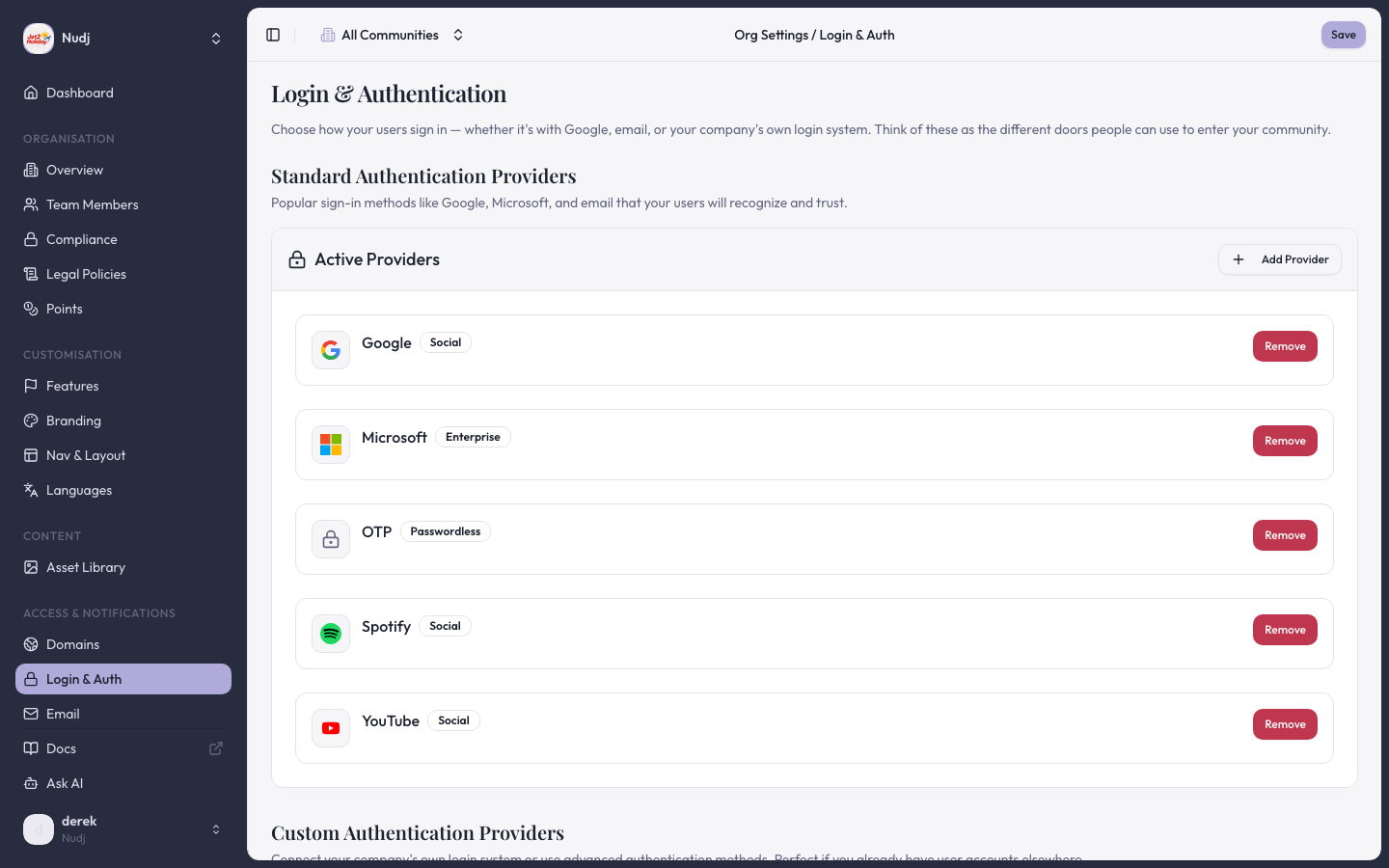
Login & Authentication settings — Standard providers (Google, Microsoft, OTP, Spotify, YouTube) and Custom providers (OIDC/SAML) are configured here.
Redirect URI
The redirect URI template is:${rootDomain}is the organisation’s primary domain, shown underSettings → Organisation → Domains.${oidcConfig.id}is the ID displayed in the Authentication tab after save.
Required scopes
Nudj requestsopenid, profile, and email by default. These are the only mandatory scopes. You can opt in to:
offline_access— issues a refresh token so Nudj can extend a session without re-prompting.- Custom scopes — list any extra scopes your provider advertises (PR #1466 added this field).
sub claim; email is used for human-readable identification only.
PKCE
The OIDC flow enforces PKCE with an S256 code challenge. PR #1538 tightened the PKCE cookie validation on the callback. If you seePKCE cookie missing in the callback URL:
- Confirm the callback is returning to the same origin that initiated auth. Embedded webviews that block third-party cookies will break the short-lived PKCE cookie round-trip.
- Match the redirect URI’s host to the host your users start the login flow from.
What is explicitly not supported
Be direct with your security team — these are not features of Nudj, regardless of how the provider markets integration:- SAML / WS-Fed / LDAP — no support. OIDC only.
- Just-in-time group-to-role mapping — Nudj users are created on first successful login with the attributes from the ID token/userinfo response. There is no separate directory-sync process, no group-to-role mapping, and no SCIM endpoint.
- Nudj-hosted MFA — MFA lives at your identity provider. Nudj does not store passwords or issue MFA challenges itself.
- Risk-based step-up auth / geofencing — not implemented at Nudj; rely on your identity provider’s policies.
Common pitfalls
Users get a 404 after authenticating with the provider
Users get a 404 after authenticating with the provider
The redirect URI at the provider doesn’t match the one Nudj sends. Re-copy the URL from the Authentication tab — pay attention to the
oidcConfig.id, which regenerates if you delete and re-create the config.`invalid_scope` or `unsupported_scope` error
`invalid_scope` or `unsupported_scope` error
Remove any custom scope the provider doesn’t advertise. The auto-fetch flow will list the scopes your provider publishes.
User lands on Nudj but with no email
User lands on Nudj but with no email
The provider didn’t include
email in the userinfo response, or the user’s profile in the provider has no email set. Nudj creates the user but cannot email them — reconfigure the provider to issue the email claim in the ID token.Next steps
Full OIDC setup walkthrough
Step-by-step provider configuration.
API Link authentication
Alternative flow for pre-authenticated users (JWT-based session handoff).
Last reviewed: 2026-04 · Related PRs: #1466, #1433, #1538, #618, #876, #878