

/admin/engagement/rewards/{id}/stats). It has four tabs, plus a shared date-range filter.
A giveaway's Stats Overview: entries summary, source breakdown, and participation timeline.
The four tabs
Overview
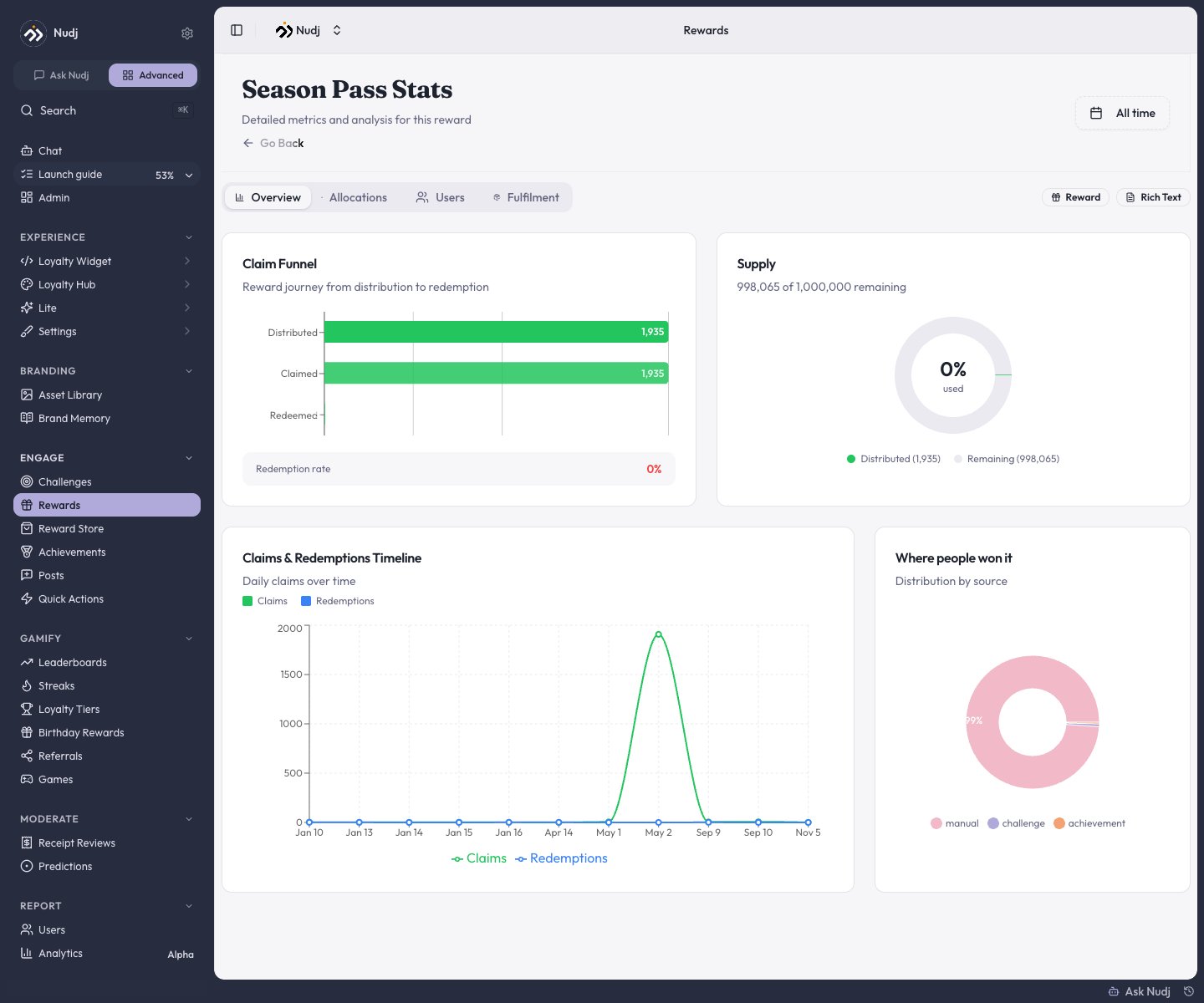
- Claim funnel - Distributed -> Claimed -> Redeemed, with an expiry notice when unredeemed rewards lapse.
- Supply donut - how much of the pool is used.
- “Where people won it” - the distribution source breakdown: challenge, achievement, manual (gifts), shop, giveaway, leaderboard.
- Timelines - “Claims & Redemptions Timeline” for asset rewards, “Participation Timeline” for giveaways.
- For giveaways, an Entries Summary replaces the funnel: entries distributed, unique participants, average entries, and winners (with “draw pending” before the draw).
Allocations
Every way the reward distributes, as a table: source, status, per-user amount, distributed count, and pool. Gift batches appear as Manual Reward Distribution; shop listings as Shop Purchase.Users
Every holder (or entrant), searchable, with Export Users CSV. For giveaways this tab adds entry counts, winner status, and - for manual giveaways - the winner assignment flow and a tracking-template CSV.Fulfilment
The read-only record of every redemption with the delivery details members submitted. See Redemption & Fulfilment.Community-wide analytics
For the whole community at once, Report -> Analytics includes a Rewards section: total rewards, assets claimed, giveaway entries, and distribution events, plus Top Assets (by claims, with redemption rate) and Popular Giveaways (by participants) over a selectable period.Reading the numbers
Low redemption rate
Low redemption rate
Members earn but don’t claim. Check perceived value, redemption friction, and whether a code list ran out mid-campaign - the timeline shows a cliff if so.
Most distribution is Manual
Most distribution is Manual
If gifts dominate the source breakdown, the automatic earn paths aren’t pulling - revisit which challenges distribute this reward.
Entries concentrated in few members
Entries concentrated in few members
A handful of members hold most giveaway entries. Review per-challenge entry amounts and the reward’s Max Entries Per User cap.