

- Entry period - members earn entries between Entries Open and Entries Close.
- The draw - at the draw date, winners are selected automatically or by you.
- Redemption - winners claim their prize before its redeem-by deadline.
Creating a giveaway
Pick Giveaway Reward in the type picker. The wizard is the same six steps as a Regular reward, with two steps adapted:Dates
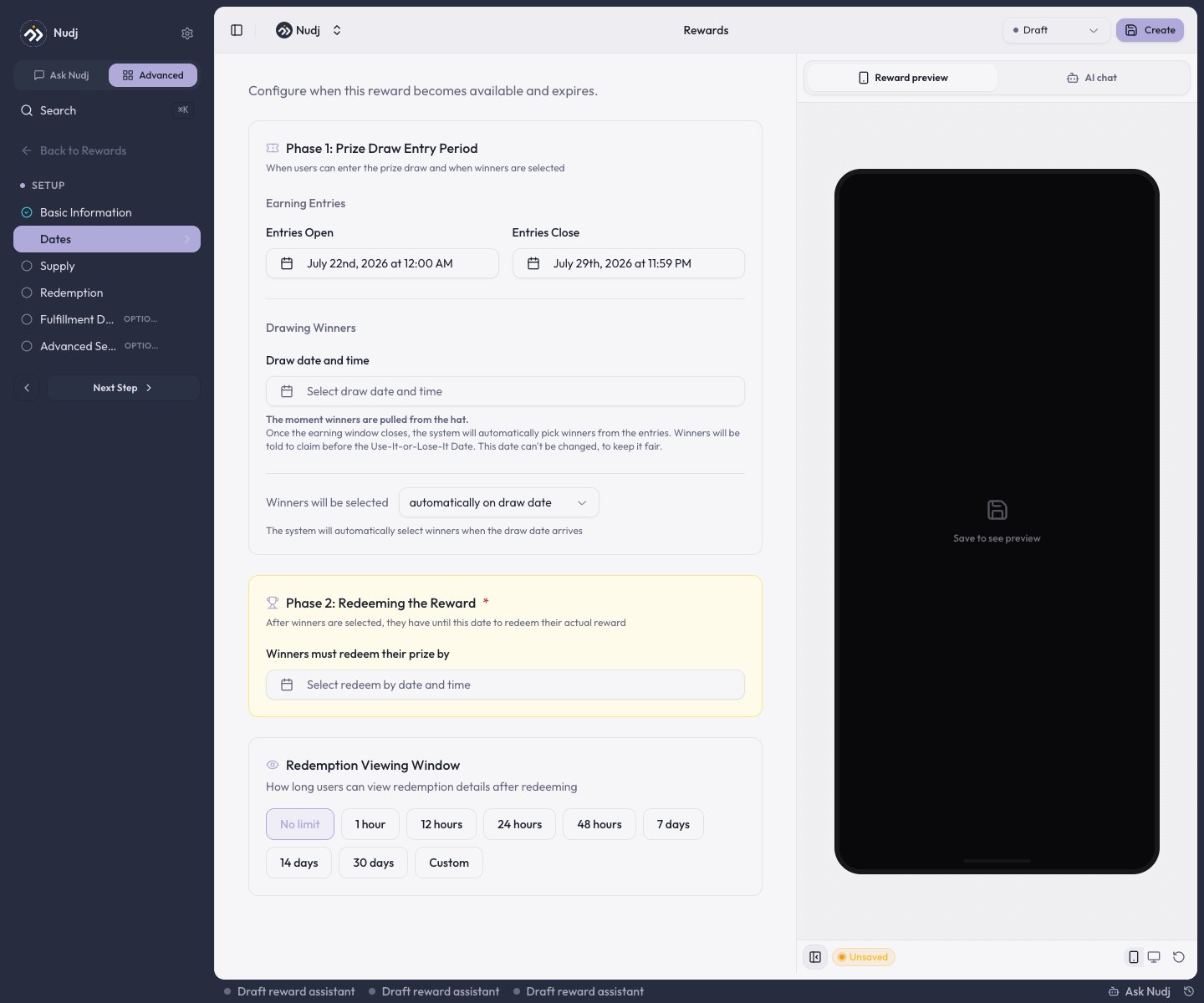
The Dates step of a giveaway: entry period, draw settings, and the winners' redemption deadline.
- Phase 1: Prize Draw Entry Period - Entries Open and Entries Close date-times.
- Drawing Winners - the draw date and time, plus whether winners are selected automatically on draw date or manually by admin.
- Phase 2: Redeeming the Reward - the date winners must redeem their prize by.
The scheduling rules the form enforces: the draw must be on or after Entries Close; a draw date is required before an entries reward can publish; the draw date locks once members hold entries (unless the reward is back in Draft); and the redeem-by deadline must be at least 24 hours after the draw. Picking Entries Close auto-fills a sensible draw date and redeem-by, which you can then adjust.
Supply
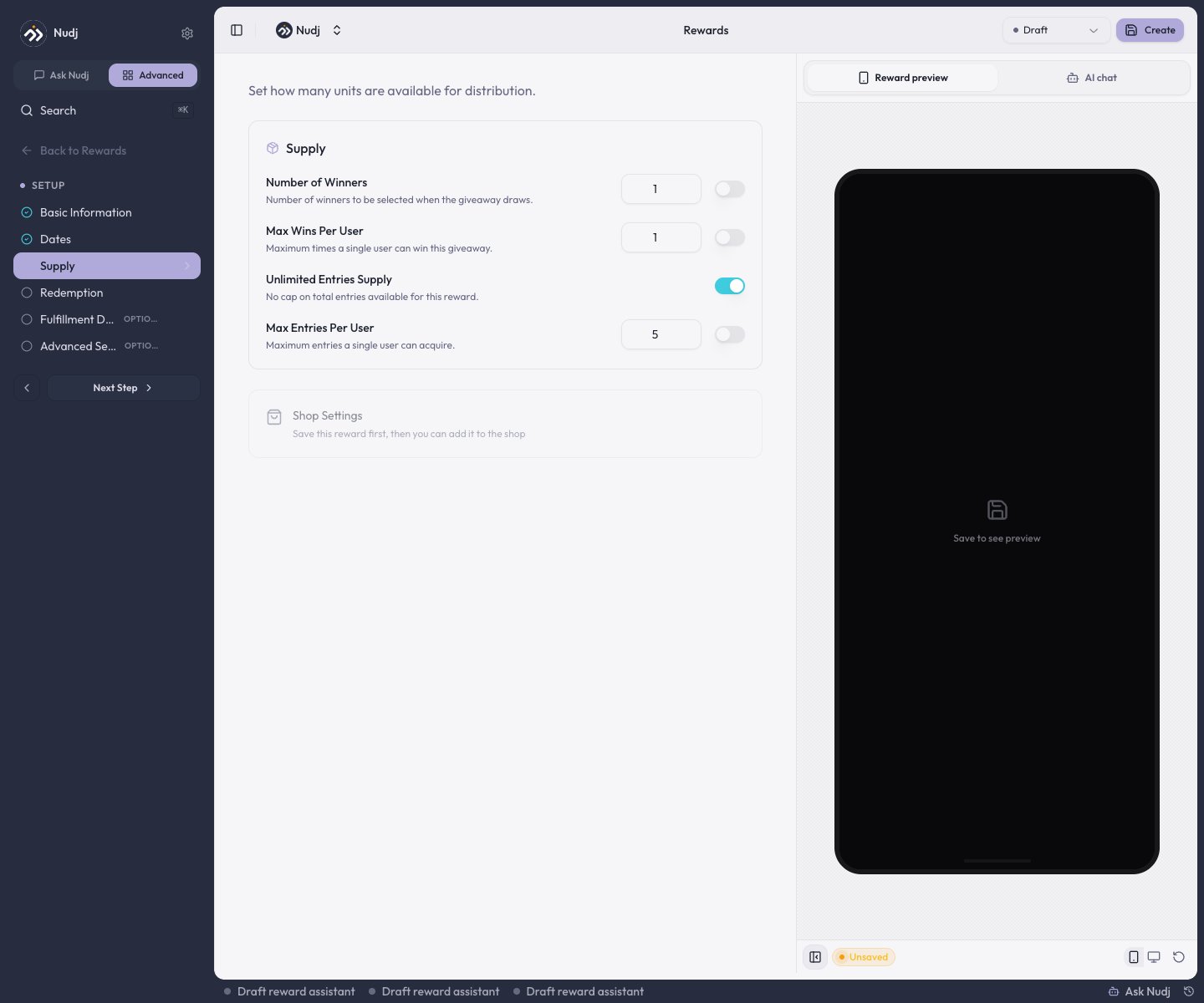
The Supply step of a giveaway: winners, wins per user, and entry caps.
- Number of Winners - how many prizes exist (or Unlimited Winners).
- Max Wins Per User - one member can win more than once unless you cap it.
- Total Entries Supply and Max Entries Per User - cap the ticket pool overall and per member.
How members earn entries
- Challenges - attach the giveaway on a challenge’s Distribution step; the amount you set there is entries per completion. Achievements distribute entries the same way.
- The shop - list the giveaway in the Reward Store with an entry price and members buy entries with points.
The draw
Automatic giveaways draw themselves at the draw date. Selection is a weighted random draw: every entry is a ticket, so a member with 10 entries has ten times the chance of a member with 1. Winners are drawn until the prize supply is used up, respecting Max Wins Per User. Each giveaway draws once. Manual giveaways wait for you. After the draw date passes, open the reward’s Stats -> Users tab, select the winning members, and click Assign as Winners. You must select exactly as many members as there are remaining prizes.After the draw
- Winners get the reward as an asset in their wallet, with its redemption code attached, and must redeem it before the Phase 2 deadline.
- Losers keep their entries, which resolve to a “better luck next time” state.
- Nobody is emailed. There is no winner notification; members discover the result in the app - the wallet feed and the widget’s giveaway card show “You won!” or the losing state. Announce winners yourself with a post if you want the moment amplified.
Tracking entrants
The reward’s Stats -> Users tab lists every entrant with their Total Entries and Last Entry (plus a Winner Status column once a manual giveaway is drawn). Two exports:- Export Users CSV - the full entrant list with entry counts and, once drawn, per-user ticket outcomes.
- Tracking template CSV (manual giveaways) - the same list with empty contact/winner-rank columns for running your draw offline.
Next steps
Create a reward
The full studio walkthrough.
Redemption & fulfilment
What winners do after the draw.
The Reward Store
Sell entries for points.
Gift Rewards
Deliver to a fixed list directly, no draw involved.