

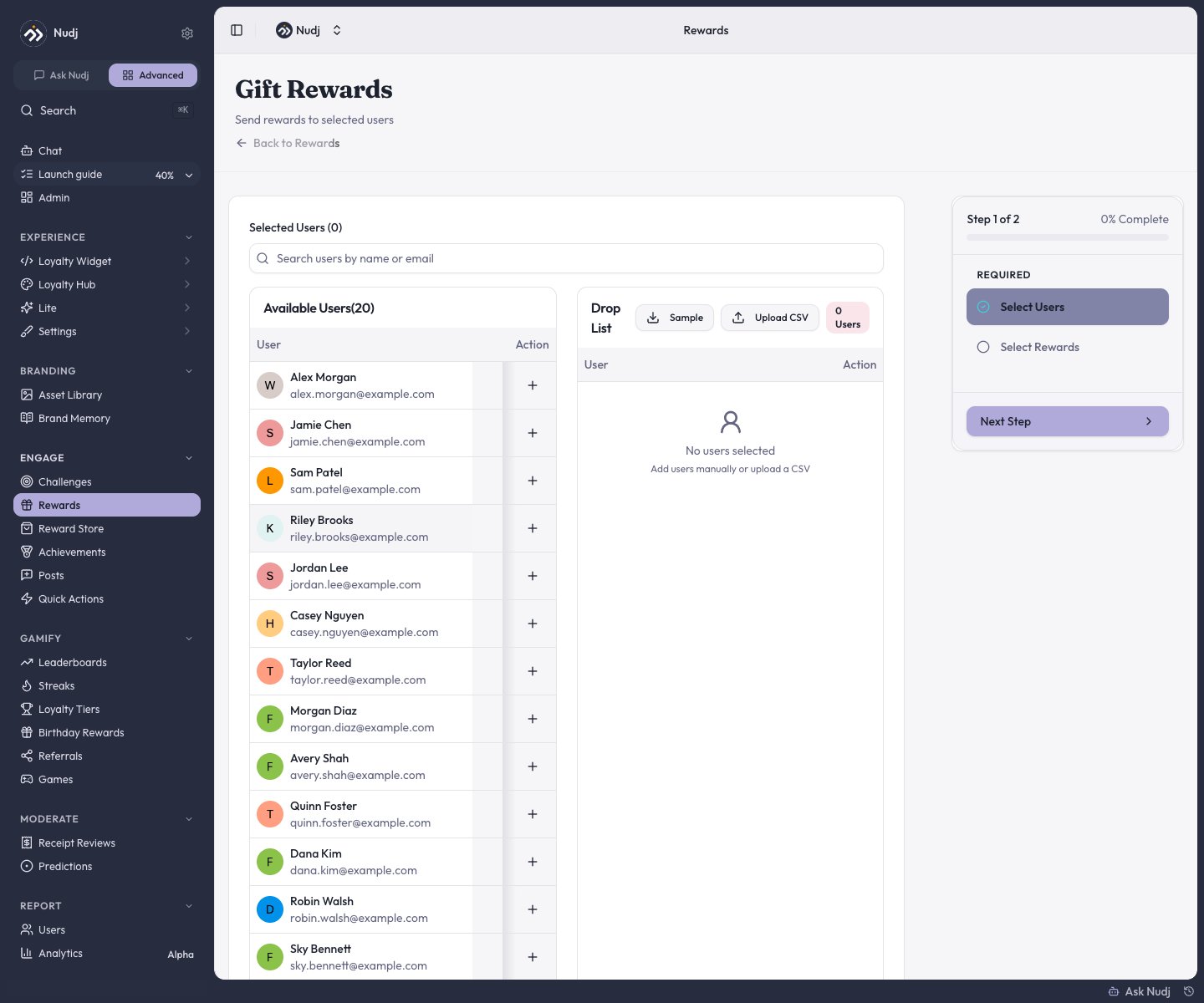
Gift Rewards: build the recipient list by search or CSV, then pick what to send.
Where to start
Any of these opens the same flow:- Engagement -> Rewards -> the Gift Rewards button.
- Users -> the Gift Rewards button.
- A member’s stats page -> the … menu -> Gift Reward.
- The new-reward screen’s Gift or drop rewards card.
Gifting needs Admin or above - it can grant currency alongside rewards, which Manager roles can’t create.
The flow
Select Users
Search members by name or email and add them to the Drop List one by one, or Upload CSV with up to 500 rows of emails or usernames (a sample file is provided).
Select Rewards
Pick one or more rewards, and optionally add Bonus XP and Points per recipient. You can also send only points/XP with no reward at all.
Confirm
The confirmation summarises recipients, currency, and rewards. Gifting is immediate and can’t be undone.
Rules to know
- Supply is checked up front: if the reward doesn’t have enough remaining supply for every recipient, the whole gift is rejected before anything sends.
- Per-user caps are respected quietly: a member already at the reward’s per-user limit is skipped for that reward (their bonus points/XP still arrive) - no error is raised.
- Gifts consume the reward’s normal supply pool and appear in the reward’s Allocations as Manual Reward Distribution.
Adjusting points directly
Separate from gifting: on a member’s stats page, the … menu has Manage Points for crediting or debiting a member’s points balance (Admin+; there is no XP adjustment). Use it for corrections rather than sending a gift.Next steps
Create a reward
Something worth gifting.
Advanced features
Supply sharing and per-user caps.
Giveaways
Let chance pick the winners instead.
Reward analytics
Where gifts show up in the numbers.