

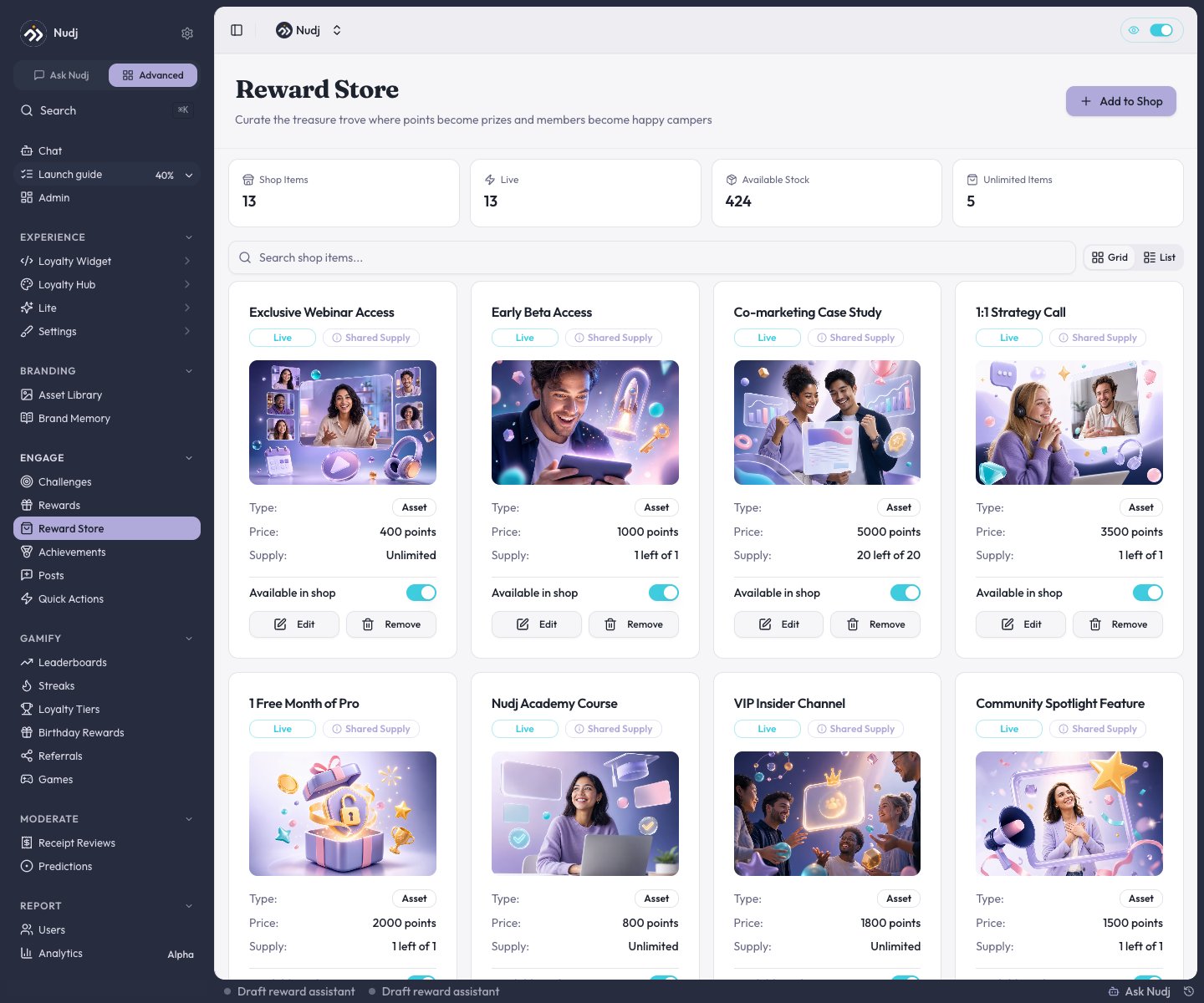
The Reward Store: stats, search, and every listed reward with its price, supply, and shop toggle.
Turning the shop on or off
The shop switch is organisation-wide: the Rewards Shop toggle in Organisation Settings -> Features (or the Shop pill at the top of the Reward Store page itself). Turning it off hides the member-facing shop across your org: the Shop nav item disappears, and prices, checkout, and purchase controls are suppressed, so members can no longer browse to or buy from the shop.There is no per-community shop toggle. The Community Settings Features tab controls points, leaderboards, posts, and similar, but not the shop.
Listing a reward in the shop
Two ways in:From the Reward Store
Click Add to Shop, pick any non-expired reward that isn’t already listed, and set its shop terms.
From the reward itself
On the reward’s Supply step, the Shop Settings card opens the shop terms for a listed reward, or takes you to the Reward Store to list it. The button is disabled until the reward has been saved once.
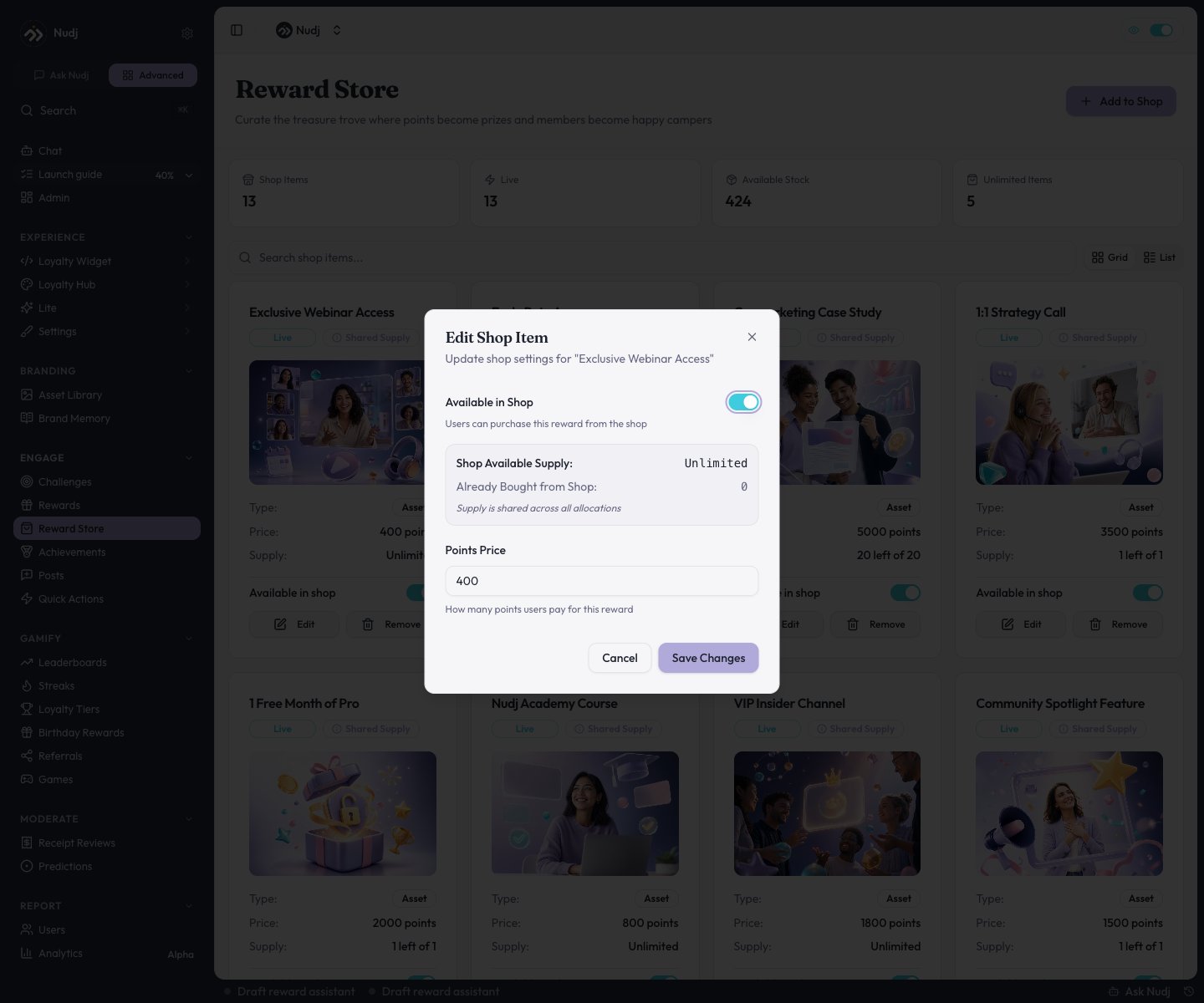
Editing a shop item: availability, points price, and shop supply.
- Points Price - what a member pays per unit.
- Available in Shop - show or hide the listing without removing it.
- Limited Shop Supply - cap how many can be bought from the shop (hidden when the reward shares one supply pool across all its allocations). The dialog also shows how many are already bought vs still available.
Per-member purchase caps are not a shop setting. They come from the reward’s own Supply step (Limited Per User). A member at their cap can’t buy more, no matter what the shop terms say.
How members buy
Members open Shop in the main navigation of the member app. It lists every live reward with an active shop listing; the detail view shows the points price, remaining stock, and a purchase button. Purchases:- Deduct the points and place the reward straight into the member’s wallet.
- Are capped per purchase (up to 5 at a time) and by the reward’s per-user limit.
- Fail cleanly when points or stock run short.
Purchase safeguards
Every purchase runs as a single transaction with duplicate-tap protection, and the checks run in a safe order:- Per-user cap is checked before any points are taken - hitting the cap never costs the member points.
- Insufficient balance and insufficient stock are both blocked with a clear error.
- Shop purchases and challenge distributions both update supply transactionally, so stock counts stay consistent.
Shop purchases in analytics
On a reward’s Stats page, shop activity is broken out as its own source: the Overview’s “where people won it” chart has a shop slice, and the Allocations tab labels shop listings as Shop Purchase. See Reward Analytics.Pricing tips
Next steps
Create a reward
Set supply and per-user caps on the Supply step.
Redemption & fulfilment
What happens after a member buys or earns.
Reward types
Points are the spendable currency behind the shop.
Reward analytics
Purchases as a distribution source.