

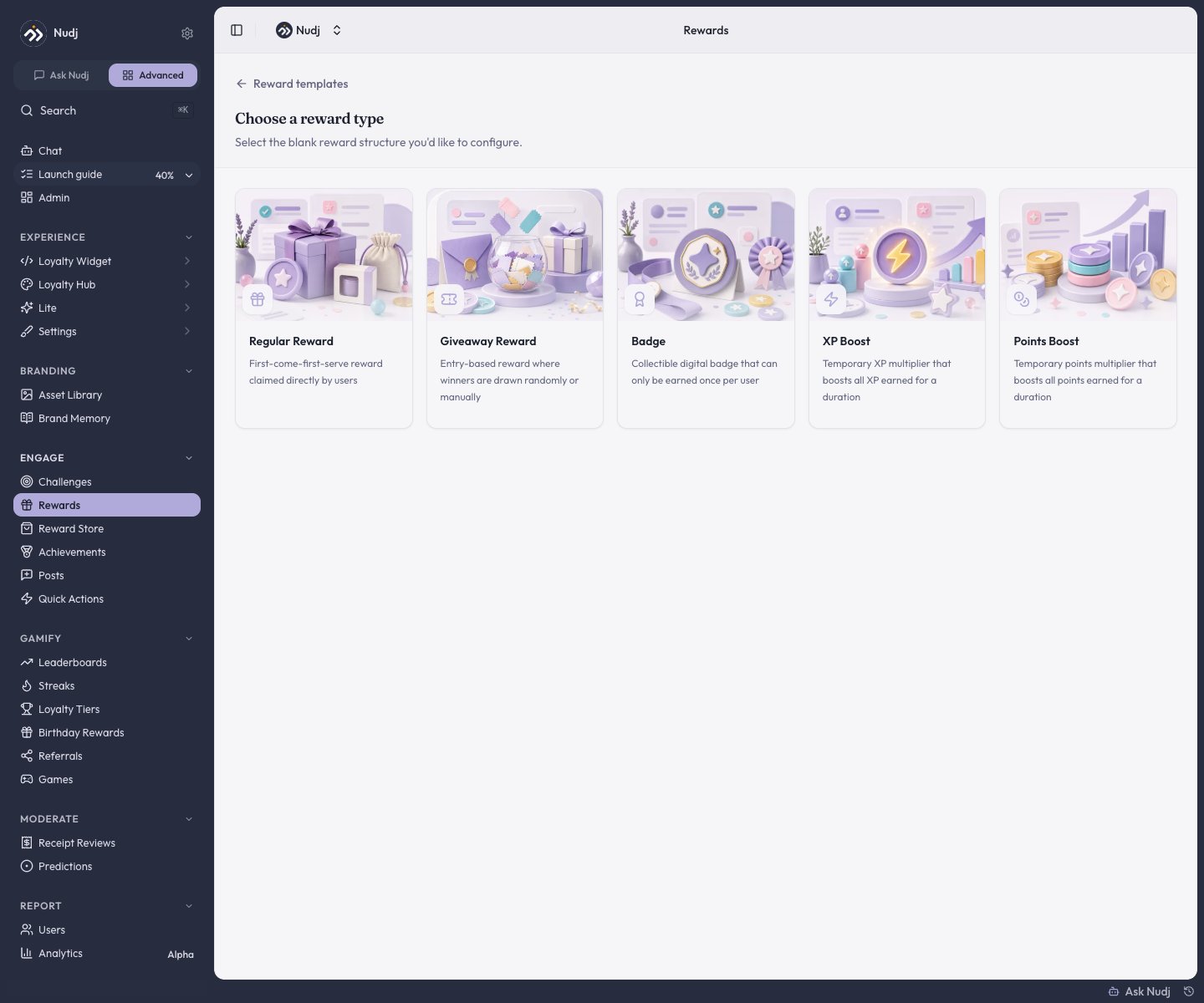
The five reward types you can start from.
The five types
Regular Reward
A first-come-first-serve reward members claim directly - discount codes, merch, digital downloads. The everyday reward. See Creating Rewards.
Giveaway Reward
A prize draw. Members earn entries over a window; you draw winners randomly or by hand at the draw date. See Giveaways.
Badge
A collectible emblem earned once per member - pure recognition, nothing to redeem. See Badges.
XP Boost
An effect that multiplies the XP a member earns for a set duration. Activates automatically when earned, then multiplies their next earns until it expires.
Points Boost
An effect that multiplies the points a member earns for a set duration. Activates automatically when earned, then multiplies their next earns until it expires.
Badge, XP Boost, and Points Boost skip most of the setup. They have nothing to supply, no redemption format, and nothing to fulfil, so their wizard drops the Supply, Redemption, and Fulfillment Details steps (XP/Points Boosts add a Boost Config step instead).
Two dimensions underneath
A Regular or Giveaway reward is defined by two independent choices.Allocation - what the member gets
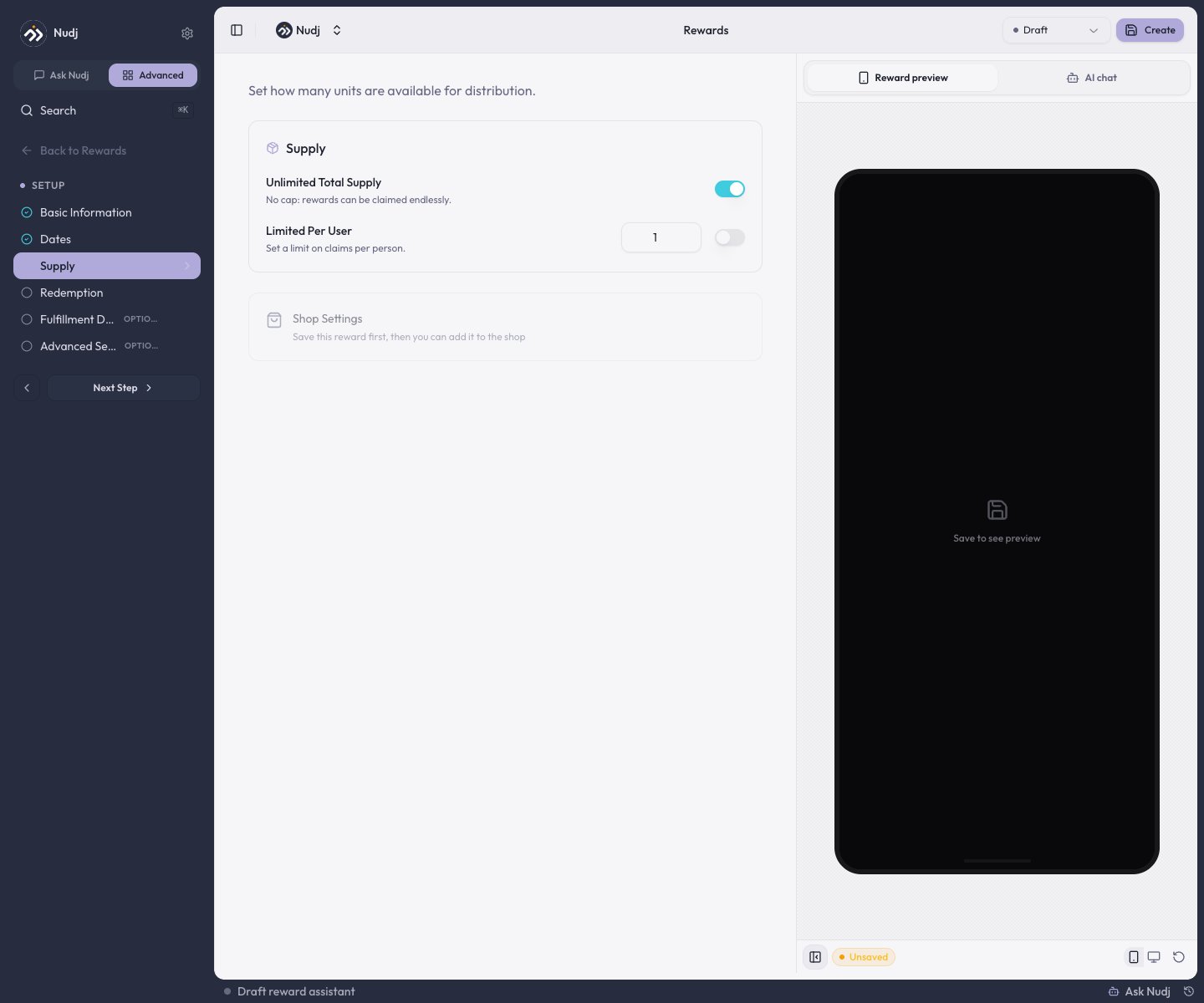
The Supply step of an asset reward: total supply and per-user caps.
Assets
An owned item with a finite (or unlimited) supply - the member holds it in their wallet and redeems it. Regular Rewards are assets.
Entries
Lottery tickets for a giveaway - the member accumulates them and the reward resolves at the draw. Giveaway Rewards are entries.
Redemption format - how they claim it
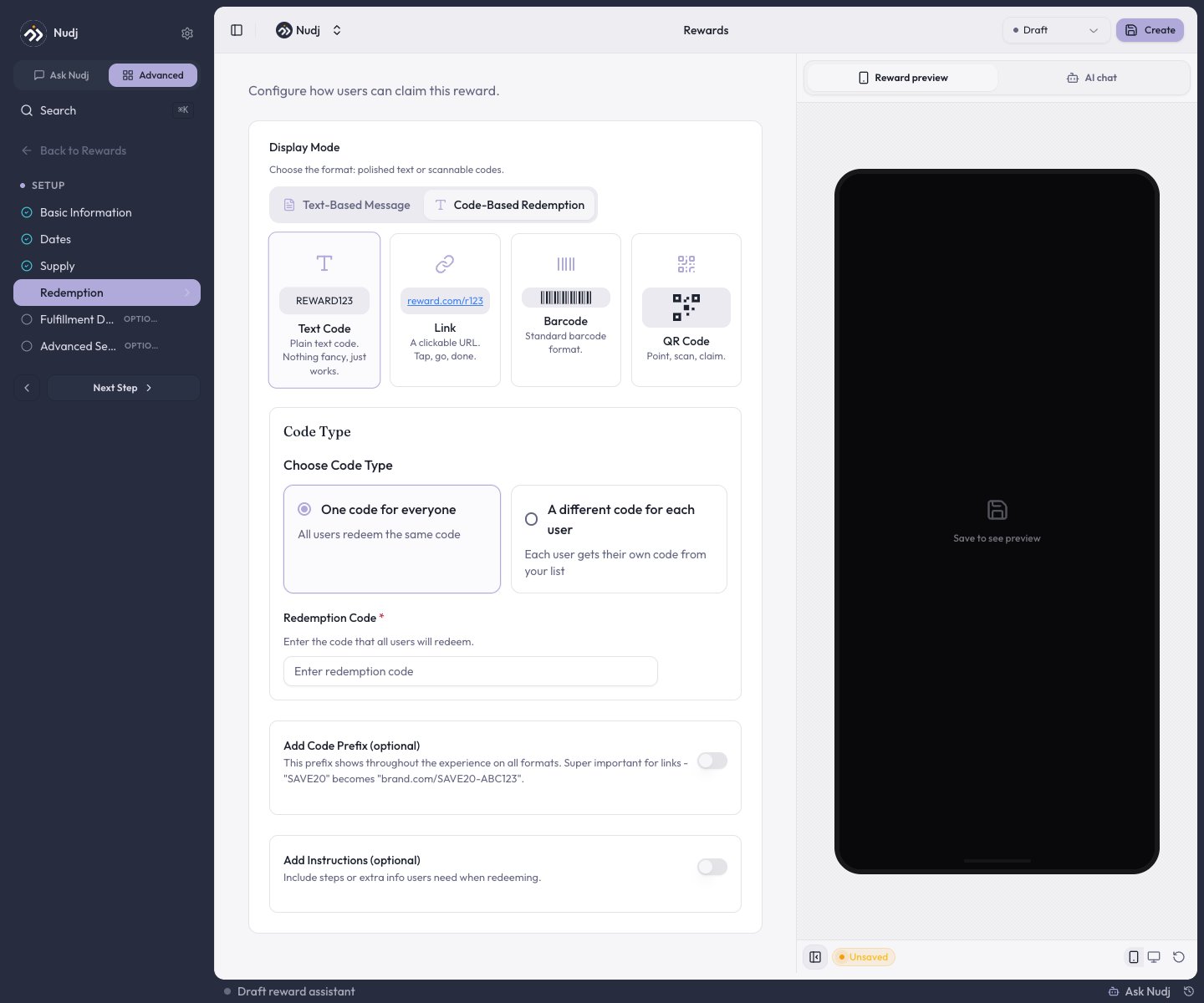
Code-based redemption: Text Code, Link, Barcode, or QR Code, shared or per-user.
- Text message - a rich-text message shown when they claim.
- Code - a Text Code, Link, Barcode, or QR Code, either one shared code or a unique code per member.
- Shopify discount - for communities connected to a Shopify store.
Points & XP are currencies, not reward types
Members earn points (spendable) and XP (progression) by completing challenges and actions - you set those amounts on the challenge, not as a separate reward. What lives in the reward catalogue are the two boost rewards that temporarily amplify them:Placement & distribution (not types)
These are options on a reward or ways to hand it out - not separate types:- Featured and Spotlight - toggles on the Basic Information step that surface a reward more prominently. (Spotlight only appears on manually-claimed rewards - badges and boosts hide it.)
- Shop - list a reward in the Reward Store so members can buy it with points.
- Gifting and giveaway draws - ways to distribute a reward. See Gift Rewards.
- Cross-community scope - the
additionalCommunityIdsfield (in Advanced Settings) makes one reward redeemable across several communities in your org.
When to use which
Next steps
Create a reward
The step-by-step studio walkthrough.
Giveaways & sweepstakes
Entry-based prize draws.
Badges
Collectible emblems.
The Reward Store
Let members spend points.