

Featuring a post
Toggle Featured on in the studio’s Basic Information step (#1930), or from the star icon on the posts list. Featured posts are pulled into a member-facing featured posts carousel, a swipeable row of posts shown alongside the feed. It’s posts only, not a mixed row of challenges and rewards.You can feature as many posts as you like. Featuring a post does not unfeature the others.
featured is an independent flag per post. The carousel fetches up to 5 featured posts, so a sixth featured post won’t appear until one ahead of it drops out.Scheduling
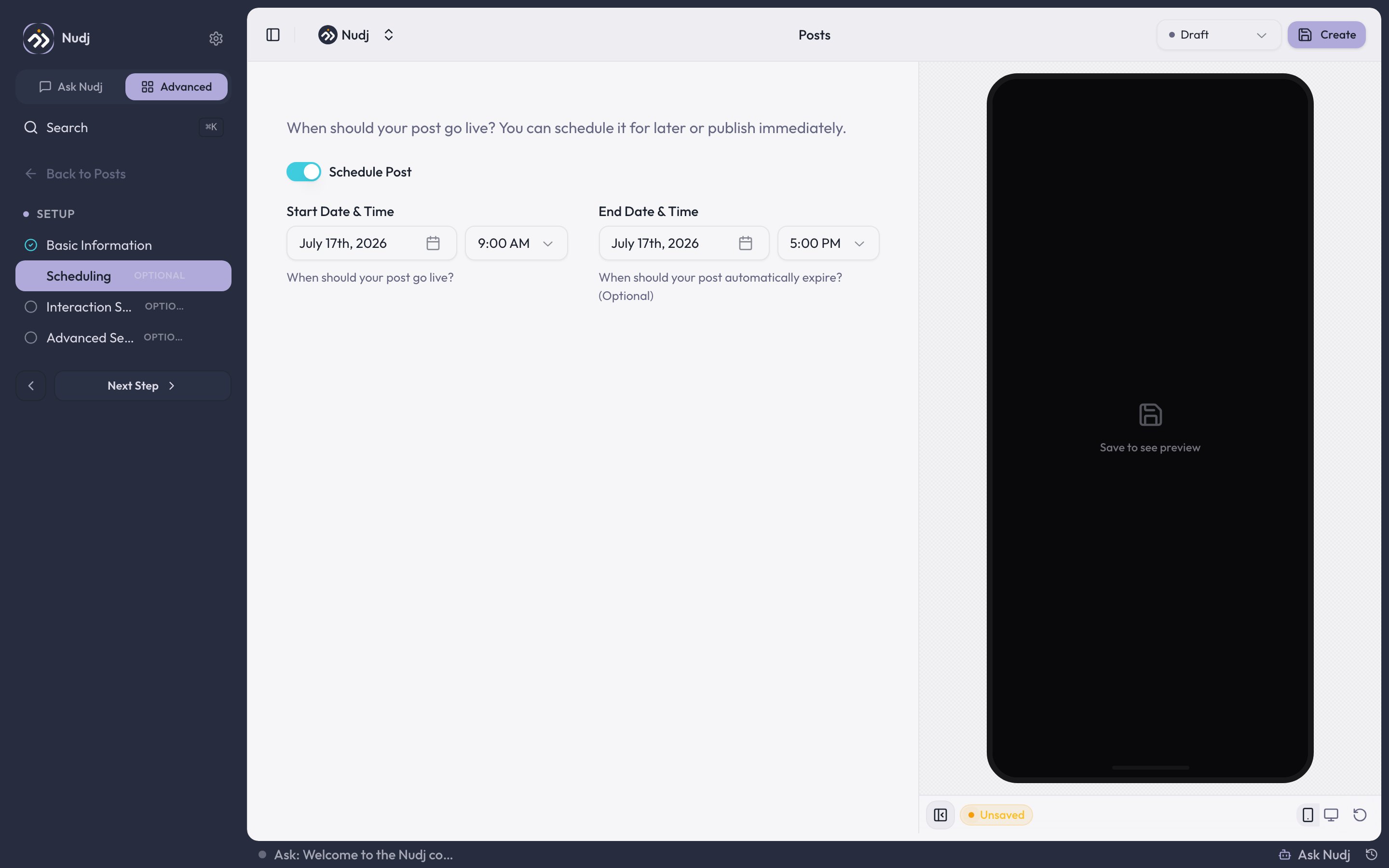
Scheduling: Schedule Post toggle with start and optional end date/time.
- Start Date & Time: when the post goes live. A future start date puts the post in Scheduled; at the start time it flips to Live.
- End Date & Time (optional): when the post comes down. Leave it empty and a live post runs live indefinitely.
Post statuses
The posts list shows counts for Total Posts, Published, Draft, and Scheduled, and lets you filter by status.
A Scheduled post is flipped to Live by a background job at its start time, so you don’t need to keep the tab open or publish it by hand.
Pairing featured posts with content
Featured posts are most effective when paired with actionable content:- Featured post announces a new challenge -> challenge links from the post.
- Featured post introduces a new reward -> member sees and taps to check out the reward.
- Featured post for a time-limited event -> urgency + one-click CTA.